

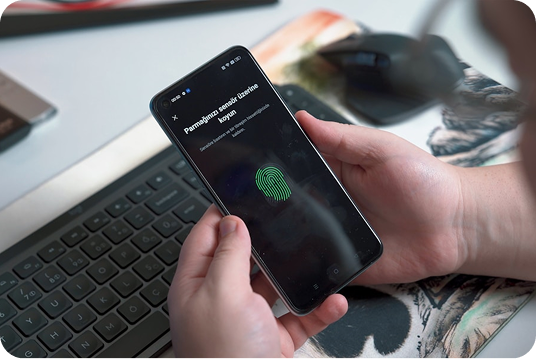
Whenever you surf the web, websites will collect some information about your device and your online activity. At times, they do so to enhance your browsing experience. But in other instances, they use the information to follow your actions across multiple sites.
With online privacy gaining importance, two tracking techniques are frequently mentioned: cookies and browser fingerprinting.
Both methods allow websites to identify users; however, the two operate in completely different ways. Cookies hold information that actually resides on your device. Fingerprinting identifies you through low-level checks of your browser and hardware/software settings. This means it is very hard to detect and block fingerprinting.
In this blog, we will discuss how cookies and fingerprinting work, the difference between the two methods, why websites are using them, and how you could improve your privacy while surfing on the web.
What Are Cookies?
A cookie is a small piece of text data that a website stores on your computer after you visit the website. They store information to help the site recognize you and your preferences when you visit it in the future.
Here’s an example: when logging into your favorite shopping website and clicking “Remember Me,” a cookie saves your login session. This means that you do not need to enter your username and password each time you come back.
Cookies have been around since the internet’s early days, and they remain one of the most common means for websites to personalize your experience.
How Cookies Work
Every time you visit a website for the first time, its server will send one or more cookies to your browser. These cookies are stored locally on your device by your browser. Then, a day later, when you go back to the same website, your browser sends those cookies back to the server.
This enables the site to remember your previous visit without needing to go back to square one.
For example, cookies can remember:
- Login sessions
- Shopping cart items
- Language preferences
- Website themes
- Saved settings
- Recently viewed products
This results in faster, easier-to-use websites.
Types of Cookies
Not all cookies do the same job. Certain cookies are essential for a site to function, whilst others predominantly track information for marketing and analytics.
Session Cookies
Session cookies only last as long as your browser is open.
They auto-disappear as soon as you close your browser.
We use these cookies to ensure that websites can manage temporary activities, for example, by remembering that you are logged in as you transition between pages.
Persistent Cookies
Persistent cookies will remain on the device for days, months or years unless manually deleted.
They offer you a personalized experience by remembering your preferences and recognizing you whenever you return to the same app or website.
First-Party Cookies
These are cookies that are set by the website you are visiting.
In general, they enhance the user experience by remembering settings and login information.
Third-Party Cookies
These cookies are generated by companies other than the one you are visiting.
Advertising networks often use them to track your web-browsing across multiple sites. As a result, they create advertising profiles based on your interests.
Due to increasing privacy concerns, many browsers currently block third-party cookies by default.
What Is Browser Fingerprinting?
Browser fingerprinting has nothing to do with tracking.
Fingerprinting collects dozens of technical details about your browser and device—rather than saving files locally on your machine. It then aggregates this information into a digital, not-so-unique profile.
Consider it a digital fingerprint. Even with two similar people using the same browser, small differences between their devices create a unique fingerprint for each person. Unlike cookies, there is nothing stored directly on your computer. Websites identify you by your browser’s attributes every time you visit.
How Browser Fingerprinting Works
A website uses the technical information your browser automatically shares with it when you open a webpage; that’s how the site can show you results.
Fingerprinting scripts gather this information, including:
- Browser type
- Browser version
- Operating system
- Screen resolution
- Device language
- Installed fonts
- Time zone
- Graphics card
- CPU architecture
- Canvas rendering
- WebGL information
- Audio processing behaviour
- Browser plugins
- Touch support
- Hardware specifications
Each of these details on its own seems rather innocent. But when our components come together, they often create an almost fingerprint-like identity, allowing us to match returning users even in the absence of cookies.
Why Websites Use Fingerprinting
There are various legitimate reasons why a website would fingerprint someone.
For example, banks and financial institutions use risk-scoring models to identify login attempts by fraudulent actors. If someone suddenly logs in to your account with a completely different fingerprint, extra verification may be needed.
Likewise, online services rely on fingerprinting to prevent fraud, fake account registration, spam and automated bots.
Sadly, marketing firms also utilize fingerprinting to track internet users. Because fingerprinting does not depend on kept files, it continues to be effective even when users clear their cookies.
This is a far bigger problem for people who value online privacy. This is one of the reasons most users prefer privacy-focused tools and secure browsing solutions. When combined with browsers equipped with anti-fingerprinting shields, solutions like OysterVPN can encrypt more of the internet traffic, improving overall online privacy.
Why Fingerprinting is More Difficult to Detect
Anyone can clear browser cookies with just a few clicks. Fingerprinting is different. Since nothing gets saved to your device, there’s generally not much of an obvious suspect to flush.
Clearing history provides some level of privacy but can be circumvented by browser fingerprinting; even private browsing modes can be circumvented.
And, of course, fingerprinting occurs in the background. It is uncommon for users to receive notifications that their browser information is being gathered.
This has led to a situation in which most internet users are still in the dark about how websites can identify them without using cookies in the conventional sense.
Conclusion
While cookies and browser fingerprinting both identify readers, they do so through radically different methods. Cookies save small files on your device, and you can easily manage or delete them.
However, browser fingerprinting associates you with a specific device by combining information about your hardware and your browser, which makes the techniques both more difficult to detect and prevent.
However, as online tracking has evolved, you need to understand this technology to protect your privacy.
Reduce Your Digital Footprint Using a combination of privacy-centric browsers, reviewing your browser settings on your own, choosing to track your unnecessary drives and automatic permissions, and staying mindful of how websites automatically collect data. Last updated in How to browse going surface guidelines.doc Less.
