

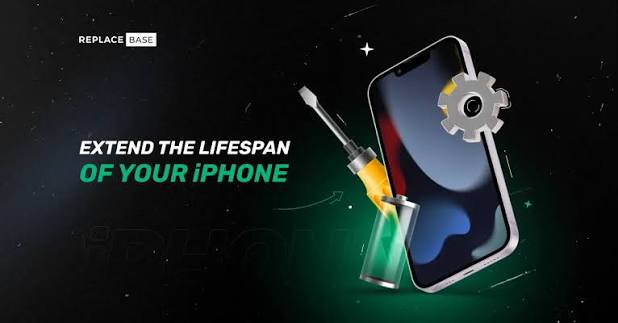
Apple devices are premium investments designed to last for years. However, daily wear and tear, charging habits, and minor software neglect can slowly degrade their performance. To maximize your return on investment and ensure smooth daily performance, regular device maintenance is essential.
Whether you handle minor maintenance at home or require expert support from an established Apple Service Center in Patna, following these key practices will preserve the health of your premium ecosystem.
- Master iPhone Battery Health & Screen Protection
Your iPhone is likely your most frequently used gadget, making it vulnerable to drops and rapid battery degradation. Lithium-ion batteries naturally age, but poor charging habits accelerate the process.
- Optimize Your Charging: Avoid letting your phone drop to 0% or stay plugged in at 100% for extended hours. Enable Optimized Battery Charging in your settings to pause charging at 80% until you need it.
- Avoid Extreme Temperatures: Exposing your phone to high temperatures—such as leaving it inside a parked car—can permanently lower its battery capacity.
- Physical Armor: Use a high-quality glass screen protector and a shock-absorbent case.
If you notice a severely degraded battery or an unresponsive display, trying to fix it at home might result in permanent damage. Seeking assistance from a certified Iphone Service Center Patna or an Iphone Service Centre in Patna ensures your device receives high-grade replacement parts and professional calibration.
- MacBook Longevity: Thermal Management & Storage Optimization
MacBooks are built to be robust workhorses, but internal dust and overstuffed hard drives can cause severe performance thermal throttling.
- Keep Vents Clear: Never use your MacBook on soft surfaces like beds, blankets, or pillows, as this blocks airflow and causes internal heat accumulation.
- Declutter Internal Storage: Solid State Drives (SSDs) slow down drastically when they reach maximum capacity. Aim to keep at least 15–20% of your total storage free.
- Care for the Display: Before closing the lid, ensure there are no small debris particles on the keyboard. Avoid using harsh chemical cleaners; a damp microfiber cloth is more than sufficient.
For internal cleaning, heat sink thermal paste replacement, or complex logic board fixes, navigating to a reliable Apple Macbook Service Center Patna remains the smartest choice to preserve your machine’s complex architecture.
- iPad Maintenance: Protect the Screen and Connectors
The iPad offers exceptional versatility, working seamlessly as a digital sketchbook, media hub, or portable workstation. Because of its large glass surface area, structural care is paramount.
- Prevent Port Damage: Be gentle when inserting and removing charging cables to avoid bent pins inside the USB-C or Lightning ports. Clean out lint from the port periodically using a non-metallic tool.
- Minimize Static Background Activity: Keep background app refresh off for non-essential applications to limit processing stress and extend the lifespan of your iPad’s internal battery cells.
- Apple Watch Care: Oleophobic Coatings and Sensor Hygiene
As a wearable device, your Apple Watch is continuously exposed to sweat, lotion, dust, and sudden impacts.
- Clean the Sensors: Sweat and debris can build up on the back crystal panel, causing inconsistent heart rate and blood oxygen readings. Wipe the sensor array weekly with a clean microfiber cloth.
- Protect the Screen: The outer glass has a thin oil-repellent coating. Avoid cleaning your watch with soaps, detergent solvents, or abrasive materials, as these strip away this protective layer.
Knowing When to Seek Professional Support
While routine software updates and physical cleaning keep your ecosystem performing optimally, hardware components naturally wear out over time. Attempting complex DIY repairs without specialized electronic tools can permanently ruin your delicate internal motherboards or breach water-resistant seals.
Whenever your device experiences sudden battery swelling, deep screen fractures, liquid exposure, or charging port issues, look for a reputable local facility. Consulting a trusted Apple Repair Center Patna ensures that diagnostic assessments are performed accurately, helping you bypass expensive structural failures down the line.
By implementing these everyday care routines and trusting technical issues to certified professionals, your Apple ecosystem will remain exceptionally fast, highly responsive, and functionally reliable for years to come.