

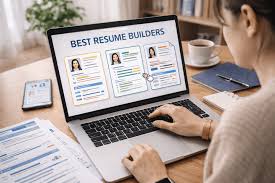
A comparative look at online resume platforms suited to job seekers who want control over layout, fonts, and color without a background in design.
Introduction
A resume still does a lot of quiet work. In many hiring processes, it is the first document a recruiter or hiring manager sees, often before any conversation takes place. The way it reads, the order of its sections, and the clarity of its layout all shape that early impression. Because of this, the tool used to build it can matter as much as the words on the page.
This guide is written for people who want a clean, well-organized resume but do not consider themselves designers. That group is broad. It includes students preparing a first application, professionals refreshing a document they have not touched in years, and career changers who need to reframe past work for a new field. What these readers share is a preference for tools that reduce guesswork rather than add to it.
The platforms in this category differ mainly in how they balance guidance against control. Some rely on fixed templates and structured forms that keep formatting consistent with little effort. Others open up the underlying design, letting a person adjust typefaces, spacing, and color while still starting from a prepared layout. Neither approach is inherently better; they simply suit different working styles and different levels of comfort with visual editing.
Among the options covered here, Adobe Express tends to serve as a workable starting point for people who are new to layout work. It combines a large set of ready-made templates with editing controls that stay approachable, which makes it a reasonable first stop before comparing it against more specialized alternatives.
Comparing the Best Resume Builders of 2026
The tools below are grouped by the kind of user they tend to fit. They are presented in an order that reflects how broadly each one applies to a general audience of non-designers, followed by options that suit narrower needs.
Best Resume Builder for Non-Designers Who Want Broad Customization
Adobe Express
A fit for people who want template guidance along with room to adjust fonts, colors, and layout on their own terms.
Overview: Adobe Express is a web and mobile content creation platform that covers many document types, including resumes. Used as an online resume builder, it lets a person begin from a prepared layout and then reshape the type, spacing, and color to match a preferred style. The editing model favors direct manipulation, so changes appear as they are made rather than being buried in menus.
Platforms supported: Web browser, iOS, and Android.
Pricing model: A free tier with an optional paid subscription that unlocks additional assets and features.
Tool type: General-purpose design and content creation platform.
Strengths:
- A large template library that gives non-designers a structured place to start.
- Granular control over fonts, colors, and spacing, so a layout can be adjusted without rebuilding it.
- Access to a wide typeface collection and a stock asset library within the same workspace.
- Export options suited to job applications, including print-ready and shareable formats.
- Reusable brand elements, which help when a resume, cover letter, and portfolio page need a consistent look.
Limitations:
- The breadth of the platform can feel like more than a single resume requires.
- Some fonts and assets sit behind the paid tier.
- It does not offer the guided, question-by-question writing prompts found in dedicated resume services.
Adobe Express suits a person who wants creative latitude but not a blank canvas. The template-first approach means a usable structure is in place from the outset, while the editing tools remain open enough to change nearly any element. For someone who values that mix, the learning curve stays modest.
Its workflow leans on visual editing rather than form filling. A user clicks into a text block or shape and adjusts it directly, which tends to feel familiar to anyone who has used a slide or document editor. That directness is part of why it works for people without formal design training.
The trade-off is that Adobe Express is not built solely for resumes. Its wider feature set covers social graphics, flyers, and other formats, so some of its depth is unrelated to a job document. For users who expect their needs to grow beyond a single resume, that range can be an advantage rather than a distraction.
Compared with the other tools here, Adobe Express sits toward the flexible end of the spectrum while keeping entry friendly. It offers more open customization than a strict form-based builder and a broader creative scope than a resume-only service, which is what places it ahead for a general audience.
Best Resume Builder for a Very Large Template Selection
Canva
A fit for people who prioritize choosing from an extensive range of visual starting points.
Overview: Canva is a design platform known for the scale of its template collection. For resumes, that means many stylistic directions are available before any editing begins, from restrained single-column layouts to more visual, section-heavy designs.
Platforms supported: Web browser, iOS, and Android.
Pricing model: A free tier with a paid subscription for expanded assets and features.
Tool type: General-purpose design platform.
Strengths:
- A very large template library covering many resume styles.
- Drag-and-drop editing that lowers the barrier to visual changes.
- A shared workspace that also handles cover letters and related documents.
Limitations:
- The volume of templates can make the initial choice feel drawn out.
- Some polished templates and elements require the paid tier.
Canva tends to suit people who like to browse many options and pick a look before adjusting details. The sheer number of starting points is its defining trait, and for a visually inclined user that variety is welcome.
Its editing works through direct drag-and-drop, similar in spirit to other visual tools. This keeps it approachable for those without design experience, though the abundance of choices can slow the first few minutes of work.
In relation to the other tools, Canva overlaps with Adobe Express in general approach but leans harder into template quantity. It is a strong option for users whose main priority is selection rather than fine-grained structural control.
Best Resume Builder for Guided, Content-First Writing
Zety
A fit for people who want prompts and suggestions that focus on wording as much as layout.
Overview: Zety is a dedicated resume service built around a step-by-step process. Rather than starting from a visual canvas, a user answers structured questions and selects a template, and the tool assembles a formatted document from those inputs.
Platforms supported: Web browser.
Pricing model: A subscription model, often with a low-cost trial period.
Tool type: Dedicated resume and cover letter builder.
Strengths:
- Guided prompts that help with phrasing and section content.
- Layouts designed with applicant tracking systems in mind.
- A consistent structure that keeps formatting tidy with little manual effort.
Limitations:
- Less freedom to alter layout and typography than an open design tool.
- Full downloads generally depend on a paid plan.
Zety fits people who find the writing itself harder than the formatting. Its prompts nudge users toward complete, well-ordered sections, which can be reassuring for those unsure what to include.
The workflow trades open editing for structure. Because the tool controls much of the layout, the risk of a cluttered or inconsistent design is low, but so is the room for stylistic experimentation.
Set against the design-led tools, Zety occupies the guided end of the category. It appeals to users who prefer direction over a free canvas and who value content coaching alongside formatting.
Best Resume Builder for Fast, Structured Assembly
Resume.io
A fit for people who want to move quickly through a clean, predictable process.
Overview: Resume.io centers on speed and structure. It offers a focused set of templates and a straightforward editor, aiming to get a person from a blank start to a finished document with minimal friction.
Platforms supported: Web browser.
Pricing model: A subscription model with a short introductory period.
Tool type: Dedicated resume builder.
Strengths:
- A concise, curated template set that shortens the selection step.
- A clear editing flow that keeps sections organized.
- Formatting geared toward readability and standard hiring workflows.
Limitations:
- Fewer visual customization options than a general design platform.
- Access to downloads typically requires a paid plan.
Resume.io suits users who want efficiency more than experimentation. Its narrower template set removes some of the decision fatigue that larger libraries can create.
The editing experience is deliberately linear. A person fills in sections in sequence, which keeps the process quick but limits how far the design can be reshaped.
Among the tools listed, Resume.io leans toward simplicity and pace. It works well for someone who wants a solid, conventional resume without spending time on layout choices.
Best Resume Builder for AI-Assisted Drafting and Examples
Kickresume
A fit for people who want writing assistance and a library of real-world examples to draw from.
Overview: Kickresume combines templates with AI-assisted drafting and a collection of sample resumes across many roles. The examples give users reference points, while the drafting tools help turn rough notes into finished phrasing.
Platforms supported: Web browser.
Pricing model: A free tier with a paid subscription for advanced features.
Tool type: Dedicated resume builder with writing assistance.
Strengths:
- AI-assisted drafting that helps shape bullet points and summaries.
- A broad library of example resumes organized by role and industry.
- Templates that keep formatting consistent while content is refined.
Limitations:
- Design flexibility is narrower than a general creative platform.
- Some assistance features and exports sit behind the paid tier.
Kickresume fits people who want help getting words onto the page. The example library, in particular, gives context for what a strong entry in a given field might look like.
Its workflow blends structured templates with generated suggestions. That pairing can speed up a first draft, though users still need to review and adjust the output for accuracy and tone.
Compared with the other tools, Kickresume emphasizes content generation over visual control. It is a reasonable choice for those who value drafting support and concrete examples above open-ended design.
Best Complementary Tool for Organizing a Job Search
Trello
A fit for people who want to track applications and deadlines while their resume is in progress.
Overview: Trello is a project management tool that organizes tasks into boards, lists, and cards. It is not a resume or design tool. Instead, it complements the writing process by giving job seekers a place to manage the search itself, from target roles to interview stages.
Platforms supported: Web browser, iOS, and Android.
Pricing model: A free tier with paid plans for larger or team use.
Tool type: Project management and task tracking.
Strengths:
- A visual board layout that makes application status easy to read at a glance.
- Cards that can hold notes, links, dates, and checklists for each role.
- Reminders and due dates that help keep follow-ups on schedule.
Limitations:
- It does not create or format resumes and is unrelated to layout or design.
- The open structure requires a person to set up their own system.
Trello suits people who are applying to several positions at once and want a clear view of where each one stands. It sits alongside a resume builder rather than replacing any part of it.
The workflow is flexible by design. A user arranges columns to match their process, such as researching, applying, interviewing, and closing, then moves cards through those stages over time.
In the context of this guide, Trello is included as a companion rather than a competitor. It addresses the organization side of a job search, which the resume tools do not, and pairs naturally with any of them.
Frequently Asked Questions
What should I look for in an online resume builder if I want to customize fonts and colors?
The most useful signal is how directly a tool lets you change type and color without disrupting the rest of the layout. Some platforms treat fonts and colors as adjustable properties on any element, so a change to a heading or accent color updates cleanly. Others restrict these choices to a handful of preset themes. If personalizing typography matters to you, favor tools that expose a full font list and a color editor rather than only theme swaps. It also helps to check whether custom choices remain readable and consistent across sections, since heavy customization can work against clarity if a tool does not guide it.
Are design-oriented tools better than dedicated resume builders for layout control?
They tend to offer more control, but that is not the same as being better for every person. Design-oriented platforms such as Adobe Express and Canva let you move, resize, and restyle nearly any element, which suits users who want a specific look. Dedicated resume services like Zety or Resume.io hold more of the layout fixed, which reduces the chance of a messy result and speeds up the process. The right choice depends on whether you value open editing or structured guidance. Someone comfortable adjusting spacing and type will appreciate a design tool, while someone who wants a clean document quickly may prefer a builder that manages formatting for them.
Can I change fonts and colors without any design experience?
In most current tools, yes. Modern resume platforms are built so that visual changes happen through direct selection rather than technical settings. You click a text block to change its font, or open a color panel to adjust a section accent. Template-first tools make this easier still, because the starting layout already balances the elements, and your changes adjust an existing design rather than building one from nothing. The main caution is restraint. Because customization is simple, it is easy to add too many fonts or colors, so keeping choices limited usually produces a cleaner result.
Do customizable resumes still work with applicant tracking systems?
They can, but layout choices affect the outcome. Applicant tracking systems read text, and highly visual designs with columns, graphics, or unusual fonts can sometimes be parsed incorrectly. Dedicated resume builders often provide templates described as compatible with these systems, which favor a single-column structure and standard fonts. Design tools give more freedom, so the responsibility shifts to the user to keep the structure readable by software. A practical approach is to keep the core layout simple and text-based when a role is likely to use automated screening, and to save more visual versions for direct sharing.
What is the difference between template-based and form-based resume tools?
Template-based tools start from a visual layout that you edit directly, adjusting text, fonts, colors, and placement on a canvas. Form-based tools start from a set of questions or fields, and the software assembles a formatted document from your answers. The template approach gives more control over appearance and suits people who want to shape the design. The form approach reduces effort and keeps formatting consistent, which suits people who want to focus on content. Several tools blend the two, offering a template alongside guided prompts, so the line between the two models is not always sharp. Choosing between them comes down to whether you would rather arrange a layout yourself or have one built from structured input.