

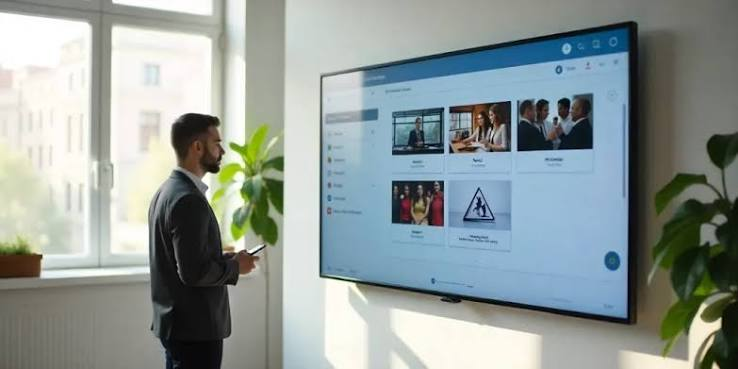
Managing a single screen in a controlled environment is straightforward. Managing a network of displays across different locations, zones, or departments is an entirely different operational challenge. When organizations scale from one screen to many, the problems that emerge are rarely about the hardware itself. They are about coordination — keeping content accurate, scheduling reliable, and the overall system coherent across every display in the network.
This is especially true in environments where screens carry meaningful information: manufacturing floors where safety protocols must be current, retail environments where pricing and promotions must align, corporate offices where internal communications need consistency, or transportation hubs where schedules must update in real time. In these contexts, a misconfigured screen or delayed content update is not simply a cosmetic issue. It creates confusion, undermines credibility, and in some industries, it introduces operational or compliance risk.
Understanding how to build and manage a multi-display digital signage system from the ground up — from how layouts are planned to how content stays synchronized — is the foundation of running a reliable, scalable visual communications network.
What Multi-Display Digital Signage Actually Involves
A digital signage network built around multiple displays is not simply a collection of individual screens showing the same content. It is a system with distinct layers: hardware endpoints, a content management platform, a distribution method, and a scheduling logic that governs what appears, when, and where. Each of these layers introduces dependencies, and a failure or misconfiguration at any one of them affects the integrity of the whole network.
For organizations beginning to evaluate or expand their display infrastructure, reviewing a structured Digital Signage Multiple Displays guide can help clarify how these components interact before purchasing decisions are made or deployments are scaled. Understanding the system architecture early prevents the most common and costly mistakes — particularly those involving content distribution and playback consistency.
At the most basic level, managing digital signage across multiple displays means controlling what content plays on which screen, at what time, and in what format. That sounds simple, but the complexity scales quickly when displays are in different physical zones, serve different audiences, or need to be updated at different intervals. A lobby screen welcoming visitors has different content requirements than a display in a production facility showing output targets or a retail window promoting a time-limited offer.
The Difference Between Grouped and Independent Display Management
One of the first structural decisions in any multi-display system is whether screens will be managed as grouped units or as individually configured endpoints. Grouped management means that a set of screens shares the same content schedule, effectively behaving as a single logical unit even if they are physically distributed. Independent management gives each screen its own configuration, allowing for unique content per location.
Most deployments use a combination. Common information — company news, emergency alerts, shared branding — is pushed to all screens as a group. Location-specific content, such as department metrics or zone-relevant instructions, is layered in at the individual screen level. Getting this architecture right from the start determines how manageable the system remains as the number of displays grows. Organizations that fail to plan this distinction early often find themselves manually updating screens one by one, which defeats the core operational advantage of a centralized system.
Layout Planning Across Physical Spaces
Layout planning for digital signage is a physical and organizational exercise before it is a creative one. It begins with mapping where displays will be placed, who will view them, at what distance, and under what lighting conditions. These factors directly determine screen size requirements, orientation, and how much information can be effectively communicated on any given display without the content becoming cluttered or illegible.
In industrial or logistics environments, screens positioned high on a wall to be seen across a large floor require simpler, high-contrast content than a wayfinding display at eye level in a corridor. In a corporate environment, a display outside a meeting room showing room availability has very different layout requirements than a main lobby display cycling through internal communications. The layout must serve the functional context of each screen, not be designed uniformly and then forced to work across varied environments.
Zoning as an Organizational Framework
Dividing a multi-display network into zones is the most effective way to manage layout planning at scale. A zone is a logical grouping of screens that share a common physical location, audience type, or content purpose. Zones allow content managers to push relevant updates to specific parts of a network without affecting screens that serve entirely different functions.
For example, a manufacturing company might define zones by facility area: one zone for the main production floor, another for the dispatch area, and a third for administrative offices. Content scheduled for the production zone — shift performance data, safety reminders — does not appear in the administrative offices zone, which might display company announcements or visitor information instead. This structure makes the system operationally logical and reduces the risk of irrelevant or misplaced content appearing where it could cause confusion or inefficiency.
Orientation, Resolution, and Content Templates
Physical orientation — whether a screen is mounted horizontally or vertically — has a direct impact on how content must be designed and scheduled. A portrait-mode display outside a retail fitting room requires a completely different content template than a landscape display behind a checkout counter. When a network includes both orientations, the content management system must support the delivery of distinct templates to each orientation type, or content will be stretched, cropped, or otherwise distorted.
Establishing content templates that match the physical specifications of each screen type early in the deployment process ensures that content creators work within the right boundaries from the start. This reduces the need for rework and prevents the common problem of content designed for one screen format being pushed incorrectly to another.
Content Synchronization Across a Display Network
Content synchronization is the operational core of any multi-display signage system. It refers to the processes that ensure every screen in the network shows the correct content at the correct time, and that updates made in the content management platform are accurately and promptly reflected across all relevant displays. Synchronization failures — screens showing outdated content, displays falling out of schedule, or zones receiving the wrong content package — are the most common and visible breakdowns in multi-display systems.
The mechanisms that drive synchronization vary by system architecture. Cloud-based content management platforms push updates to connected players over a network connection. Local server-based systems may rely on scheduled sync intervals. Some environments use a hybrid approach, where content is distributed via cloud but cached locally on each player to ensure playback continues even during connectivity interruptions. The right approach depends on the reliability of the network infrastructure, the sensitivity of the content to timing, and the operational consequences of a display falling out of sync.
Scheduled Playback and Real-Time Updates
Most multi-display deployments operate on a combination of scheduled playback and real-time content updates. Scheduled playback handles predictable, time-based content — shift briefings that change by time of day, promotional content that runs during specific hours, or announcements tied to known events. Real-time updates handle content that must reflect current conditions: live queue data, production output figures, or emergency notifications.
The distinction matters operationally because the two types of content require different infrastructure reliability. Scheduled content can tolerate brief connectivity lapses because the player device has already downloaded and cached the content locally. Real-time content cannot, because it depends on a live data connection to remain accurate. Organizations managing screens that display real-time operational data — as described in guidelines from standards bodies such as the International Organization for Standardization around digital information systems reliability — must account for network redundancy in their infrastructure planning.
Managing Content Across Multiple Time Zones or Shifts
For organizations operating across multiple locations in different time zones, or running facilities on rotating shifts, scheduling logic becomes significantly more complex. A content package designed to show morning briefing information at the start of a shift must trigger at the correct local time for each location, not a universal time. Systems that do not account for time zone differences will show content at the wrong moment, undermining its relevance and operational value.
Shift-based scheduling introduces a related challenge. If a screen is intended to show different content for different shifts — production targets for morning versus evening crews, for instance — the scheduling system must allow for shift-aware triggers rather than relying solely on clock time. This requires either a platform that supports shift scheduling natively or a carefully structured manual schedule that accounts for every rotation across every display in the network.
Monitoring, Maintenance, and Fault Detection
A multi-display digital signage network requires ongoing monitoring to remain operationally reliable. Unlike a printed sign that either exists or does not, a digital display can appear functional — powered on, showing something — while actually delivering incorrect, outdated, or corrupted content. Without a monitoring layer, these failures can persist unnoticed for significant periods, particularly in large facilities or distributed locations where screens are not under constant human supervision.
Effective monitoring for digital signage multiple displays involves checking not just whether a screen is on, but whether the correct content is playing at the correct time, whether the media player is connected and responsive, and whether any scheduled update has failed to apply. This level of visibility typically requires a content management platform with built-in device health reporting, or an integrated monitoring tool that tracks player status and content delivery confirmation across the entire network.
Planned Maintenance and Hardware Lifecycle Considerations
Hardware in a digital signage multiple displays network has a finite operational life, and that lifecycle must be factored into any long-term operational plan. Commercial displays are built for extended daily use, but media players, cabling, and mounting systems all require periodic inspection and eventual replacement. Organizations that treat digital signage as a set-and-forget infrastructure investment frequently encounter cascading hardware failures once the initial hardware generation reaches end of life simultaneously across the network.
A phased approach to hardware refresh — replacing components in segments rather than all at once — reduces the risk of widespread failure and spreads the capital cost over time. It also allows teams to evaluate newer hardware capabilities before committing to a full network upgrade.
Bringing the System Together: From Planning to Ongoing Operations
Managing digital signage across multiple displays is not primarily a technology challenge. It is a planning and process challenge that technology supports. The organizations that operate multi-display networks most effectively are those that have established clear ownership of the system — defined who is responsible for content, who manages scheduling, and who handles technical issues when they arise. They have documented their zone structure, content templates, and update procedures so that the system remains coherent even when the people managing it change.
They have also chosen their content management platform based on how well it matches their operational model, not based on feature lists alone. A platform that offers extensive functionality but does not fit the way a team actually works will be underused or misconfigured. The most reliable multi-display signage systems are those built around clear processes, maintained through regular review, and monitored consistently enough that problems are caught before they affect the people the screens are meant to serve.
From the initial layout decisions to the daily task of keeping content synchronized across every screen in the network, the quality of a multi-display digital signage system reflects the quality of the thinking that went into building it. The technology is the medium. The planning is the foundation.
